
Postman Clone App
Call APIs with Confidence and More
28 lessons10 hoursEN & ES subtitles
What you'll work with
JSON Display and ManagementGET, POST, PUT, PATCH, and DELETEWinForms DesignWPF DesignBlazor WebAssembly DesignHttpClient UsageClass Library ReuseDependency Injection
About this course
Calling APIs from your C# code is a common task. In this course, we will learn how to make all of the major HTTP calls (GET, POST, PUT, PATCH, and DELETE) from our C# code while also building a real-world application. Learn how to build three different UI types, how to call APIs, how to process the return information, and more!
What you'll be able to do
- Call APIs from your C# project
- Utilize existing code with new front ends
- Translate a WinForms UI to WPF or Blazor WebAssembly
- Build a real-world form in three different UI frameworks
Every lesson, in the open
28 lessons · 10 hours of video. Here's exactly what's inside.
- 1
Course Introduction
- Introduction 5:42
- 2
Initial Project
- Introduction 5:11
- Project Setup 21:37
- Initial Form Design 29:01
- Initial Class Library Design 46:52
- Portfolio Setup 29:52
- Add Post Dropdown to Form 19:51
- Wire Up Post 25:06
- Put Patch and Delete 11:05
- 3
WPF User Interface
- Introduction 1:52
- Page Layout 25:25
- URL Input 23:34
- TabControl 9:06
- StatusBar 5:36
- Code Wire-Up 7:08
- Testing 9:50
- 4
Blazor WASM User Interface
- Introduction 2:44
- Project Setup 16:34
- Class Library Connection 9:03
- Initial Page Setup 5:16
- Form Setup 10:16
- URL Input 15:53
- Tab Control 38:30
- Status Bar 8:14
- API Call Code 13:22
- Testing 8:57
- 5
Next Steps
- Additional Challenges 7:37
- Course Conclusion 3:06
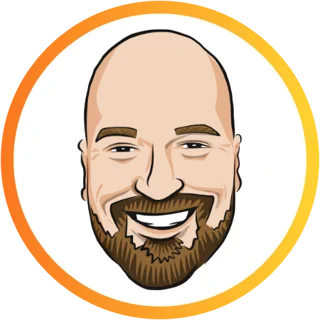
Hi, I'm Tim Corey.
I learned software development the hard way, with lots of dead-ends, confusion, and knowledge gaps. I kept thinking, “It shouldn't be this hard!” Now I teach students how to think and code like professional developers. My goal is to make it easier for you to become a developer.
Frequently asked questions
When does this course start and finish?
The course starts now and never ends! It is a completely self-paced online course; you decide when you start and when you finish.
How long do I have to access the course?
How does lifetime access sound? After enrolling, you have unlimited access to this course for as long as you like; across any and all devices you own.
What if I am unhappy with the course?
I do my best to provide the highest quality training to help you become a successful developer. But if this course isn't for you, then you can count on a no-hassle 30 Day Money Back Guarantee.